> ## Documentation Index
> Fetch the complete documentation index at: https://vapi-bephrem-pricing.mintlify.site/llms.txt
> Use this file to discover all available pages before exploring further.

# Quickstart

> Learn the core concepts of getting started with Vapi.

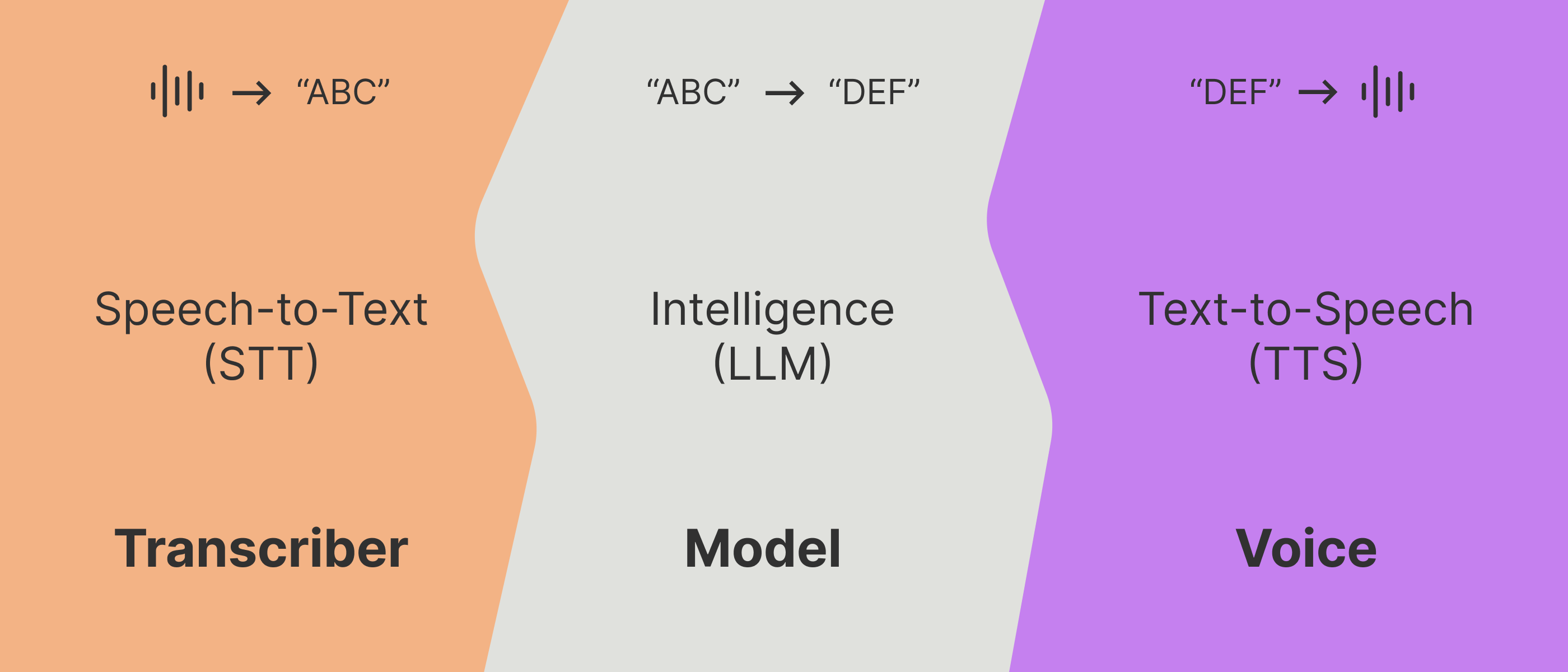
<Frame caption="LLM-based voice AI apps undergo 3 phases: Speech-to-text, LLM computation, & Text-to-speech. Hearing, thinking, speaking.">
  <img src="https://mintlify.s3-us-west-1.amazonaws.com/vapi-bephrem-pricing/static/images/quickstart/quickstart-banner.png" />
</Frame>

## The 3 Phases

To get you started as quickly as possible, we're going to narrow down & focus on the 3 key concepts of Vapi voice assistants: the **transcriber**, the **model**, & the **voice**.

<Note>
  Note that this is not unique to Vapi, every LLM-based voice AI application is based around these 3
  major legs of computation.
</Note>

Vapi acts as a modular orchestration layer that lets you swap out each of these components to your liking. Additionally, Vapi runs custom ML models between each layer to facilitate natural conversational flow.

A standard voice AI application must do 3 things:

<Steps titleSize="h3">
  <Step title="Listen (intake raw audio)">
    <div>
      When a person speaks, the client device (whether it is a laptop, phone, etc) will record raw
      audio (1’s & 0’s at the core of it).
    </div>

    <div>
      This raw audio will have to either be transcribed on the client device itself, or get shipped
      off to a server somewhere to turn into transcription text.
    </div>
  </Step>

  <Step title="Run an LLM">
    <div>
      That transcript text will then get fed into a prompt & run through an LLM ([LLM
      inference](/glossary#inference)). The LLM is the core intelligence that simulates a person
      behind-the-scenes.
    </div>
  </Step>

  <Step title="Speak (text → raw audio)">
    <div>
      The LLM outputs text that now must be spoken. That text is turned back into raw audio (again,
      1’s & 0’s), that is playable back at the user’s device.
    </div>

    <div>
      This process can also either happen on the user’s device itself, or on a server somewhere
      (then the raw speech audio be shipped back to the user).
    </div>
  </Step>
</Steps>

<Info>The idea is to perform each phase in realtime (sensitive down to 50-100ms level), streaming between every layer. Ideally the whole flow [voice-to-voice](/glossary#voice-to-voice) clocks in at \<500-700ms.</Info>

Vapi pulls all these pieces together, ensuring a smooth & responsive conversation (in addition to providing you with a simple set of tools to manage these inner-workings).

## Vapi’s Pizzeria

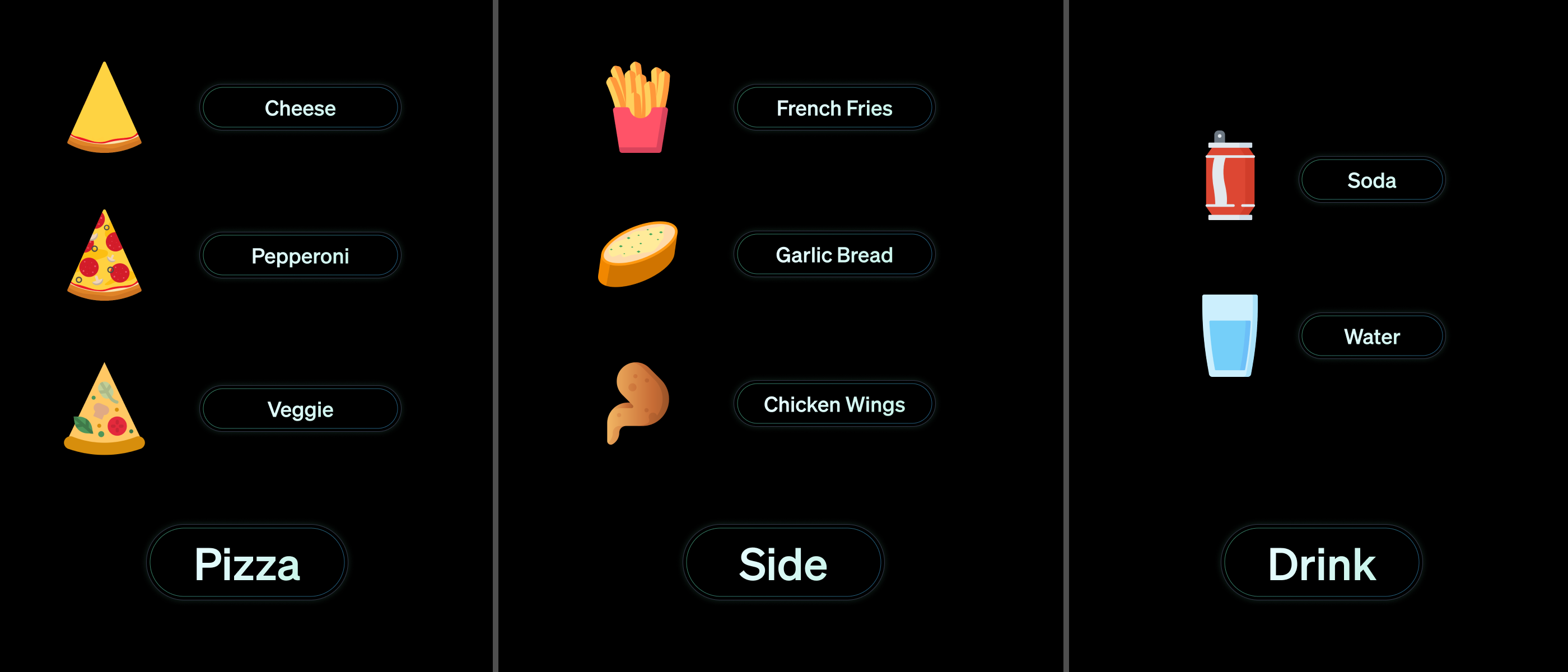
To demonstrate these core concepts & how you can configure them with Vapi, we’ll be implementing a simple order-taking agent for a pizza shop called “Vapi’s Pizzeria”.

<Frame caption="We will base our basic walkthroughs on this core order-taking agent example. Pizza shop customers will order a pizza, a side, & a drink.">
  <img src="https://mintlify.s3-us-west-1.amazonaws.com/vapi-bephrem-pricing/static/images/quickstart/vapis-pizzeria.png" />
</Frame>

We will walk through the same quickstart demo with every major way you can integrate & interface with Vapi’s systems:

<CardGroup cols={2}>
  <Card title="Dashboard Quickstart" icon="browser" iconType="solid" href="/quickstart/dashboard">
    Follow the walkthrough on the Vapi Web Dashboard.
  </Card>

  <Card title="Web Quickstart" icon="browser" iconType="regular">
    Coming Soon.
  </Card>
</CardGroup>